
GCSE Maths (Edexcel)
435 videos | 33 hours
Please subscribe to watch this video.
This, and all other videos, are included in our premium subscriptions.
Premium accounts get access to all videos.
Enable autoplay to keep watching
Your browser is blocking videos from playing automatically. To turn it back on:
Safari (Mac): Click the Safari menu item in the top bar, then Settings → Websites → Auto-Play, then set Auto-Play to Allow All Auto-Play for the current website.
Safari (iPhone/iPad): open the Settings app, then Apps → Safari → Auto-Play, and select Allow All Auto-Play.
Using a Calculator
- Calculators can save time in exams and are necessary for some questions
- Key buttons on a calculator include fraction, square root, general root, brackets, square, power of, times 10 to the X, pi, trig functions, and inverse trig functions
- Calculators may look different and have different functions, so it's important to refer to the manual
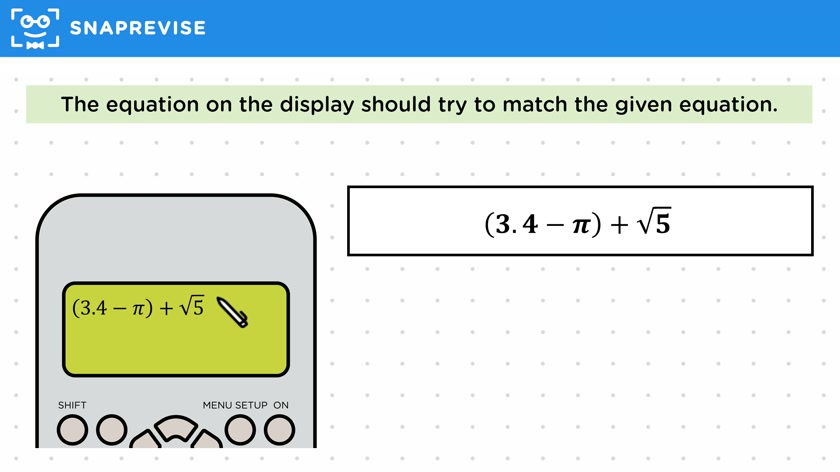
- Equations should be inputted into the calculator exactly as written on the page, with brackets used correctly
- If the calculator can only carry out one operation at a time, calculations should follow BIDMAS (Brackets, Indices, Division, Multiplication, Addition, Subtraction)
- Calculated values on a calculator may only display a certain number of decimal places, but the more precise value can be recalled using the ans button
- An example question is given to demonstrate how to use a calculator to find a solution
Please subscribe to access these revision notes.
This, and all other video notes, are included in our premium subscriptions.
Premium accounts get access to all videos and revision notes.
264
questions for Number
39
questions for Measures and accuracy